The Condiment Marketing Co. has had the great privilege of working with Food & Drink Resources (FDR) for the last couple years to manage most all of the company’s marketing needs. FDR develops menus for national restaurants, represents major food manufacturers, and completes consumer research at its Denver-based market research facility.
FDR is busy, and they keep our marketing team busy, too. Read More »
“It tastes good!” “You want to eat this.” “World’s best!” “Like grandma used to make.”
These and other clichéd food descriptions are boring and do nothing to describe your beloved food product or menu item.
When enticing fans to enjoy your food from a website, social media, catalog, or another marketing piece, don’t be boring. Instead, try these copywriting techniques and get the reader to experience the flavor! Read More »
It’s been over three years since our first Denver Food & Drink Collective (DFDC) meeting. What an incredibly fun and worthwhile ride it has been. And it’s not over yet. We are taking an exciting turn in this journey by merging with a new industry group, Colorado Food Works!
The group meets on the first Thursday of the month at the Enterprise CoWorking Space in the RiNo neighborhood of Denver. Members include food and beverage industry leaders, entrepreneurs, and everyone in between. Read More »
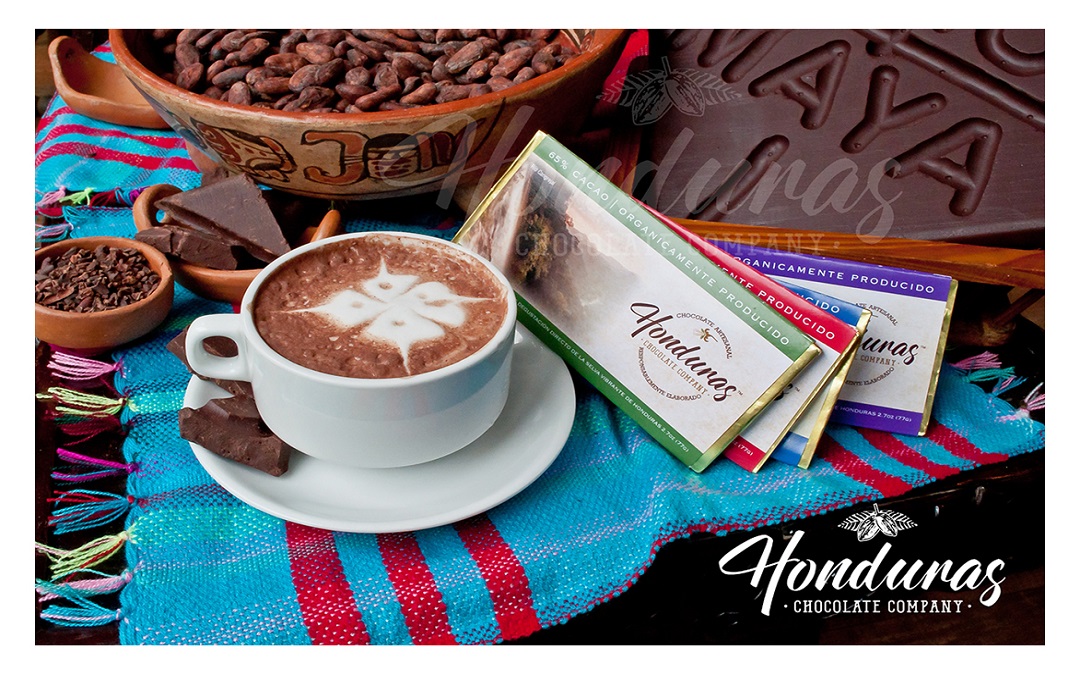
Better-than-fair-trade dark chocolate bars now available for purchase online and at Sarasota and Tampa area gourmet and health food retailers.
(Tampa, Fla.) For the first time, single-origin Honduran chocolate bars produced by the Honduras Chocolate Company are available at select groceries in the Tampa, Clearwater and Sarasota areas, including Abby’s Health & Nutrition in Tampa and Nature’s Food Patch in Clearwater. The company got its start in 2015, but this is the first time their chocolate products have been sold by North American retailers. Read More »

What you don’t know about the food marketing agency you’re about to hire could hurt you. Yes, that’s dramatic, but you are entering into a relationship, and it’s important you understand not just what the agency does, but how their marketing approach will benefit your business and make your life easier.
As you interview potential food marketing agencies, ask the following questions and expect straightforward answers.
Is There a Price Minimum?
Some marketing pros are real cheap — there are places you can go to get blog posts for $10. On the other hand, big agencies working for big brands could charge $600 an hour. Before calling around, you need to consider your budget. What can you reasonably afford and how much help do you want? Do you want full marketing support or do you have small projects from time to time? Read More »